

High Quality Variable Data Inkjet Printer for Sharp, Accurate Output
2026-09-22
Sharp, accurate variable data printing often sounds like a basic promise—until you're staring at a smeared barcode or a serial number that's slightly off. That's where a high quality variable data inkjet printer from Danmajet changes the conversation. It's built for the moments when every pixel has a job to do, and every variable field has to stay crisp from the first print to the last. In this post, we'll look at what separates dependable output from the usual trial-and-error.
When Every Page Is Different, Your Inkjet Better Be Sharp
Variable data printing turns every sheet into a unique piece of communication. On a single run, one page might carry a customer's name in bold, while the next swaps in a different offer tailored to their zip code. That kind of flexibility sounds great until you notice the fine print: inkjet heads that can't keep up leave fuzzy edges, uneven fills, or banding that makes each record look like a rough draft.
The real test isn't speed alone. It's how consistently the droplets land when every page changes layout, font weight, or graphic density. A sharp inkjet system holds its line on the first copy and the ten-thousandth, without the operator babysitting print quality. It means tiny serial numbers stay scannable, photographs don't lose their punch, and a mail merge doesn't turn into a mail mess.
For print shops, that sharpness translates directly into fewer reprints and happier clients. When you're producing targeted postcards, personalized catalogs, or event badges, no one wants to explain why the second page of a personalized letter looks like it was printed through a screen door. A truly sharp inkjet becomes invisible—readers just see the message, not the machinery.
The Hidden Detail Most Variable Data Printers Get Wrong
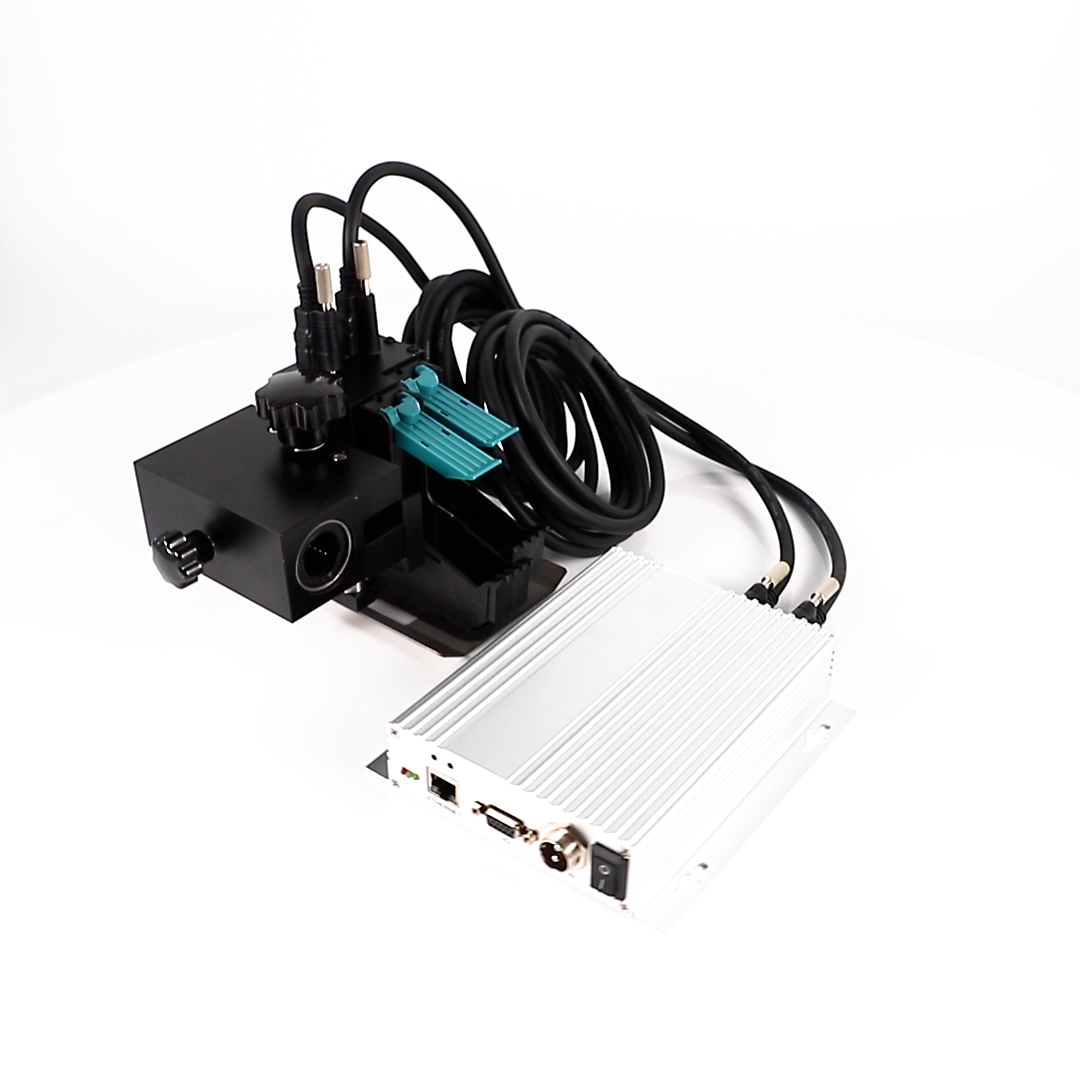
Many variable data printing jobs fail not because of the printer itself, but because of a subtle spacing issue that gets ignored during setup. When personalizing text fields, the length of names, addresses, or offer codes changes from record to record. Designers often test with placeholder text that fits neatly, but real data can be shorter or longer, causing unexpected line wraps, shifted baselines, or text that collides with static graphics.
The real culprit is the failure to set proper text fitting rules and to account for variable character widths. A capital W takes up far more space than a lowercase i, and a name like Christopher behaves differently from Amy. Most variable data printers rely on default autofit or truncation settings, which either compress text inconsistently or chop off critical information. That hidden detail—how the variable field interacts with the surrounding layout at every possible length—is what separates a clean run from a reprint.
To fix it, you need to test with worst-case data lengths, not just average samples. Adjust tracking, leading, and container sizes before the job goes to press. Pay attention to how overflow is handled: does it scale down, wrap to a second line, or simply disappear? Getting that hidden detail right takes extra time up front but saves hours of wasted stock and client frustration later.
From Mailing Lists to Machine Code: Why Clarity Slips
Early open-source projects leaned on mailing lists where every design decision was argued in prose. That format forced people to spell out assumptions, edge cases, and reasoning before code got written. Clarity lived in the conversation, not just the commit.
As projects matured and development moved closer to the machine, the medium shifted. A patch or a pull request carries far less context than a threaded discussion. Intent gets flattened into diffs, and the original “why” often survives only in someone’s memory or a terse comment that assumes too much.
The slide isn’t about anyone getting worse at writing. It’s about the distance between human explanation and executable code growing wider. When the mailing list stops being the primary record, clarity has to be deliberately rebuilt inside the codebase—through naming, documentation, and structure—but those are exactly the things that get trimmed under time pressure.
A Production Floor Test: Can Your Inkjet Read Its Own Barcodes?
Walk the floor of any busy packaging line and you'll see inkjet printers spitting out codes at a furious pace. But here's a question that rarely gets asked until something goes wrong: can the very system that prints those barcodes actually read them back? Most operators assume the answer is yes, until a quiet afternoon turns into a scramble of mislabeled cartons and angry downstream scanners. Running a simple self-check, where the inkjet's own verification camera tries to decode the freshly printed symbol, often reveals a gap between what was intended and what actually landed on the substrate.
Try it yourself. Print a batch of Code 128 or Data Matrix symbols, then immediately capture them with the integrated reader and compare the decoded data against the original input. You may be surprised by intermittent failures: a nozzle that spits a stray drop, a slight vibration that smears a quiet zone, or a substrate that drinks ink differently at the edges. These aren't theoretical flaws; they're everyday realities on a production floor where temperature, line speed, and material variations don't wait for a quality audit. A printer that can't consistently read its own output is a liability disguised as a workhorse.
The fix isn't always expensive. Sometimes it's a matter of adjusting throw distance, tweaking print resolution, or switching to a higher-contrast ink. But the first step is honest testing: stop assuming the machine verifies itself and make it prove it. Set up a short loop where every hundredth code is automatically decoded by the same unit that printed it, and log the success rate. You'll quickly learn whether your inkjet is a reliable partner or just a noisy box that happens to spray dark marks. In an era where one unreadable barcode can halt a shipment, that distinction matters more than ever.
High Resolution Isn’t Enough for Accurate Variable Output
Plenty of people still think that pushing the resolution higher will magically fix inaccurate variable output. It won't. Resolution only controls how finely details are rendered; it says nothing about whether the right data lands in the right place. You can produce a razor-sharp 2400 dpi proof where every record shows the wrong postcode, and the resolution won't flag a single error.
What actually makes variable output accurate is the stuff you can't see at a glance: clean data mapping, consistent field lengths, proper font embedding, and rules that account for long names or empty cells. A high-res renderer will happily rasterize a missing glyph as a blank box or a clipped line with perfect smoothness. The error is still there, just prettier.
If your variable output keeps failing, stop blaming the DPI. Test with the real dataset, not placeholder text. Check overflow, conditional logic, and encoding before you send anything to press. Otherwise you're just investing in sharper mistakes.
What a Reliable Inkjet Does Differently on Long Runs
The first difference is that it treats consistency as an active process, not a static setting. Through a long run, a reliable inkjet continuously samples printhead performance. If a nozzle begins to drift, it reroutes the image data to neighboring nozzles or adjusts the firing pulse before a flaw becomes visible. That keeps solid fills and fine text stable from the first sheet to the ten-thousandth, even as room temperature and humidity shift.
Ink handling follows a different rule. Rather than depending on a fixed cartridge that slowly degrades, the system keeps the fluid moving, filtering out micro-foam and preventing pigment from settling in low-flow corners of the supply line. Because viscosity and surface tension stay inside tight tolerances, drop size and drying behavior do not change halfway through the job, which is exactly where weaker devices begin to band or smear.
A dependable press also reads the whole run, not just the print zone. It adjusts feed tension as roll weight decreases, compensates for static buildup on synthetic stocks, and modulates drying energy when the speed changes. Those small, continuous corrections are what keep long-run output from a trusted inkjet looking identical from start to finish instead of gradually drifting into a reprint.
FAQ
Variable data refers to information that changes from one printed piece to the next, such as sequential numbers, barcodes, addresses, or personalized text. This printer handles those changes on the fly without slowing down production.
It uses precise drop placement and consistent ink delivery to keep edges clean and text legible. The printhead control compensates for minute variations, so even small fonts and intricate barcodes come out crisp.
It works well for direct mail, labels, tickets, transactional documents, and packaging that need unique codes or customer-specific details. Short runs with quick turnarounds are also a strong fit because there is no need for plates.
Depending on the ink configuration, it can handle coated and uncoated paper, certain films, and some synthetic stocks. The adjustable drying or curing settings help maintain adhesion across different surfaces.
The printer's controller processes variable fields in real time and adjusts firing frequency to match line speed. Built-in inspection or verification can catch deviations early, reducing waste.
Routine tasks include cleaning the printhead, checking ink levels, and replacing filters according to the schedule. Automatic purging and capping between jobs prevent clogs and extend head life.
Conclusion
Variable data printing exposes flaws that static jobs never reveal. A sheet of identical labels can look fine while the next run of unique barcodes falls apart. Sharpness matters less as a spec than as a repeatable outcome — if an inkjet can't hold edge definition when every page changes, the output becomes a liability. The hidden detail most printers get wrong is consistency across mixed content. Address blocks, serial numbers, and machine-readable codes all demand different ink behavior, and a printer tuned for one often smears or starves the next. The real test is on the production floor: print a batch of barcodes, then scan them with the same device your customer uses. If the inkjet can't read its own output, no amount of resolution will save the job.
Long runs separate dependable machines from showroom demos. Thermal drift, ink viscosity shifts, and printhead wear all creep in after the first thousand pages, and a printer that starts sharp can turn sloppy by midday. A reliable variable data inkjet compensates for these changes with active calibration and consistent droplet control, not just a higher dpi number. High resolution matters only when paired with clean edges, stable density, and accurate placement. From mailing lists to machine code, clarity slips where the printer treats every page the same. The better approach is to design for variability itself — keeping each page as legible as the first, no matter how many unique records follow.
Contact Us
Contact Person: Jacky
Email: [email protected]
Tel/WhatsApp: 086 15000607053
Website: https://www.danmajet.com